
 Download App
Who this is for
You look after people in a company of 20 to a few hundred. The team already talks in Telegram. The HR material lives in a Google Drive folder that only you can find your way around.
Three scenes will sound familiar.
Monday, three new hires
You send each of them the same 12 links in a DM. By Wednesday, one asks in the team chat how to book a day off. The answer is on page 4 of the handbook.
The updated remote work policy
You changed the rules for working abroad and posted it in the chat. A month later, someone books a trip under the old rules. You have no idea who read the new version.
The training nobody can find
Last quarter's sales training was recorded. The link sits somewhere in a chat from April. New sales hires never see it.
If you run a general team wiki rather than HR content, the knowledge base for teams page is the closer fit. This page is about the people side: onboarding, policies, trainings and who gets to see what.
Why Embedify fits an HR knowledge base
It opens where employees already are
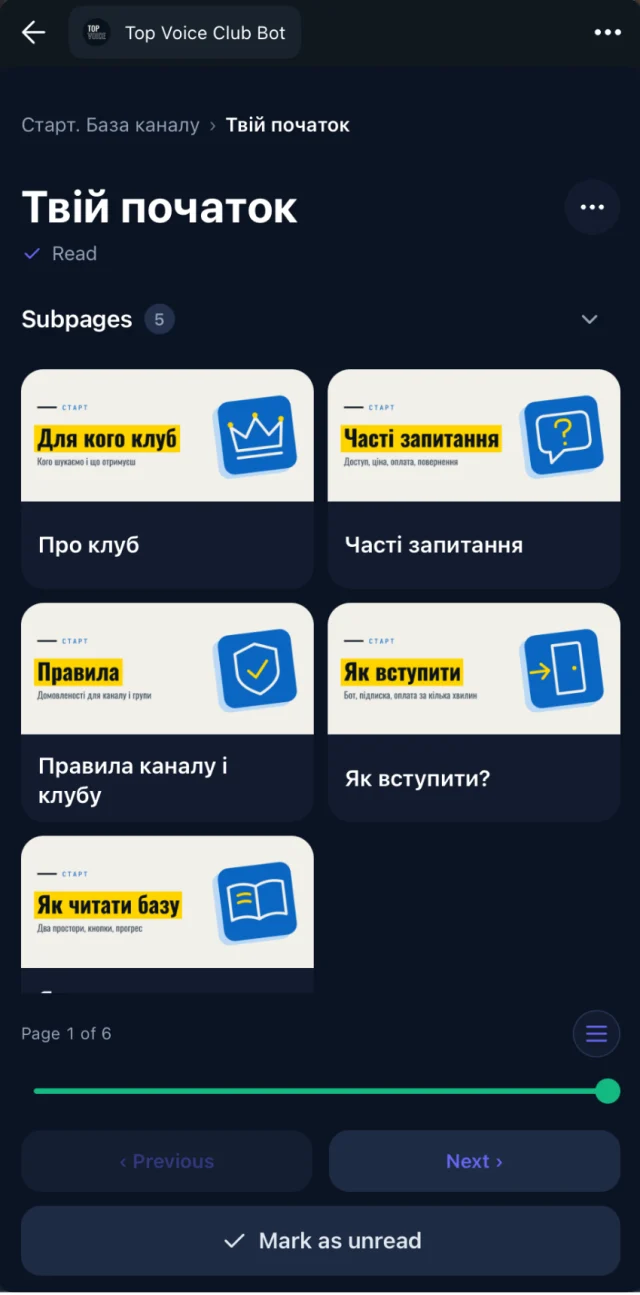
Employees tap a button in the work chat and the library opens as a Telegram Mini App, with no new login to remember. Web, iOS and Android apps work too, for people who prefer a browser at their desk.
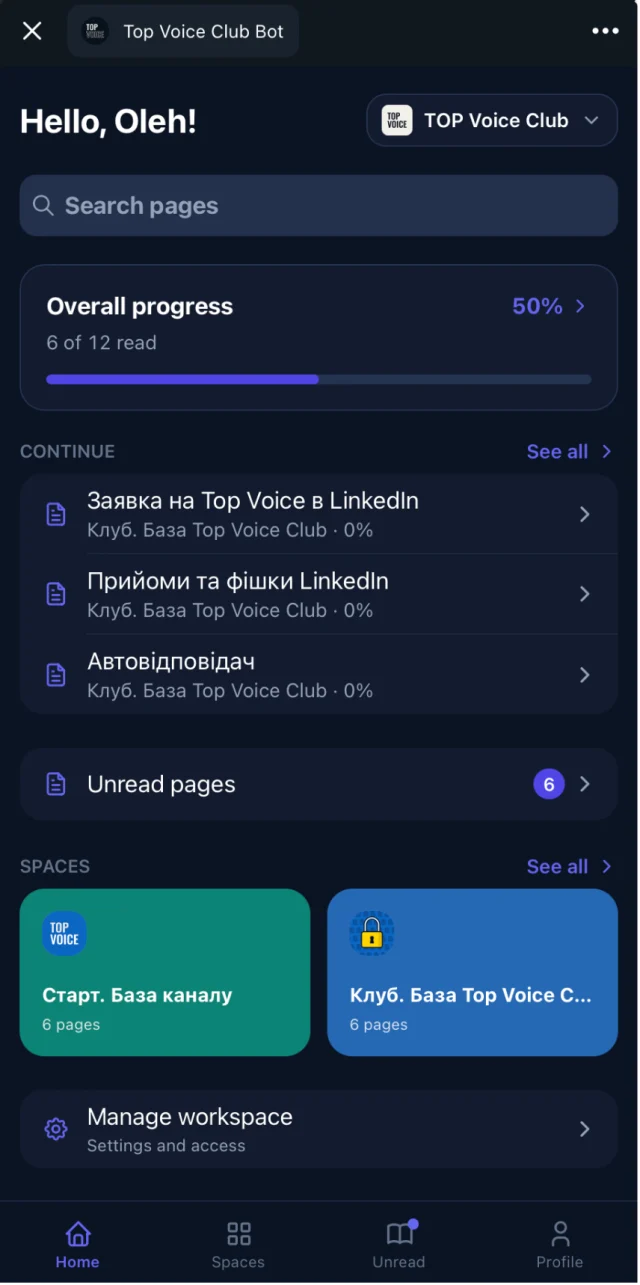
Reading progress shows who opened and finished
For each page, you see who opened it and who finished it. After a policy change, you know who still hasn't read it and can remind just those people instead of the whole company.
Access by department or role
Content lives in spaces, and access groups decide who sees which space. Every employee sees the handbook. Managers see the hiring playbook. The sales team sees sales trainings. Details on spaces and access groups.
Access ends when someone leaves
Connect the company Telegram group, and its members get access automatically. When someone leaves the group, their access to the knowledge base goes with them. Offboarding has one less checklist item. See automatic access for group members.
You keep writing in Google Docs
Import the handbook and policies from Google Docs and keep them in sync. Fix a clause in the doc and the page updates, so there is never a "final_v3" floating around. See Google Docs sync.
Recorded trainings people can skim and search
YouTube and Vimeo recordings on a page get a transcript and an AI summary, so a one-hour training can be skimmed in a few minutes. Search covers pages and transcripts, so "how many vacation days" finds the leave policy. More on video summaries.
Rules for running an HR knowledge base
- One source of truth per topic. Each policy lives on one page. Everywhere else links to it instead of copying it.
- Every page has an owner. Name the person who keeps it current, usually HR for policies and team leads for team trainings.
- Date every policy. Put "Last updated" and "Applies from" at the top, so nobody has to guess which version is current.
- Write the answer first. Start each page with the short answer ("You get 20 paid vacation days a year"), then the details.
- Use the words employees use. Title the page "Vacation and days off", not "Annual leave entitlement framework".
- Keep sensitive material out. Salaries, performance reviews and personal files belong in your HR system, not in a shared library.
- Decide access before you publish. Choose the space and access group first, then add the page.
Example: a space structure for HR
Start here (all employees)
  Welcome from the founders
  Who does what: org chart and contacts
  Your first two weeks

Employee handbook (all employees)
  Working hours and remote work
  Vacation, sick days and public holidays
  Expenses and equipment
  Code of conduct

How-to (all employees)
  How to request a day off
  How to submit an expense
  Who to ask about what

Trainings (all employees)
  Security basics (recording, transcript, summary)
  Company tools walkthrough

Sales (sales team)
  Product training recordings
  Pitch decks

Managers (managers only)
  Hiring playbook
  Running one-to-ones
  Onboarding checklist for managers
Each line under a space is a page. Decks go on the page as Google Slides, PPTX or PDF, see presentations.
A worked example: onboarding without the link dump
Picture a 60-person company with an office team and a remote sales team. The HR manager writes everything in Google Docs and used to send new hires a long list of links.
She sets up four spaces: Start here, Handbook and Trainings for everyone, and Sales for the sales team. The docs are imported and stay in sync. The onboarding training from last year goes on a page as a YouTube video, with its transcript and summary under it.
When a new hire joins the company Telegram group, they get access to the everyday spaces right away. Sales hires are added to the Sales access group. The welcome message in the chat has one link: the Start here space.
At the end of the first week, she checks reading progress. Two of the three new hires finished "Your first two weeks". The third hasn't opened it, so she sends a short reminder to that person only.
When the remote work policy changes, she edits the Google Doc, posts the page link in the chat and checks progress a week later. When someone leaves the company and the group, their access to the library ends without a separate step.
Best practices that keep it useful
- Review policies on a schedule. Put a quarterly reminder in your calendar and check each page's "Last updated" date.
- Post the page, not the summary. When something changes, share the page link in the chat with one line on what changed.
- Turn repeated questions into pages. If someone asks the same thing twice in the chat, write the page and reply with the link.
- Record trainings once. Upload the recording to YouTube or Vimeo, put it on a page and let the transcript and summary do the rest. Keep in mind that an unlisted YouTube link can still be watched by anyone who has it.
- Check reading progress after big changes. Remind only the people who haven't opened the page.
- Tell employees what you can see. Say in the welcome guide that HR sees who opened and finished pages. It builds trust.
- Archive, don't delete. Move old policies to an archive page so people can see what changed and when.
When another tool fits better
Embedify is a library for reading and finding. It doesn't do everything HR needs, and it's better to know that up front.
- Graded courses and certificates. There are no quizzes, tests, certificates or SCORM packages. For mandatory compliance training with proof of completion, use an LMS. See TalentLMS vs Embedify.
- Policy sign-off. There are no e-signatures. Use a signing tool when you need a legal acknowledgment.
- HR records. Embedify is not an HRIS. Payroll, time off requests, personal files and reviews stay in your HR system.
- A company that doesn't use Telegram. The library works on the web and in apps too, but access that follows the group is the main reason to pick Embedify. If your team lives elsewhere, a workspace tool may suit you better.
Choose an LMS or HR platform
if you need graded courses, certificates, signed policy acknowledgments or employee records in one system.
Choose Embedify
if your company talks in Telegram and you need onboarding, policies and trainings people actually open, with access by department and reading progress you can check.
Many HR teams use both: an LMS or signing tool for the mandatory course and the signature, and Embedify as the everyday library employees open from the chat.
For HR pages next to other audiences, see the knowledge base for small business if you also run the company, or online learning materials for educators if most of your work is teaching.
What it costs
Free is $0 with unlimited content and members. Private spaces, access groups for up to 300 employees, your own Telegram bot with the company avatar and Google Docs sync start on Basic, from $29/month. Pro covers up to 1,000 private members and adds speaker pages and meeting summaries. Owners and admins don't use member seats. See pricing for details.