
 Download App
What a Telegram knowledge base is
A knowledge base is the place your community's lasting material lives: onboarding guides, rules, session recordings, templates, answers to the questions people ask every week. It's organised by topic and searchable, so it still works 6 months later.
A Telegram knowledge base is that same library, built for a community that runs in Telegram. Members don't leave the app to read it, don't sign up for a new platform, and don't need a separate invite. If they're in the group, they're in the library.
That last part matters more than it sounds. Most of the work in Telegram community management isn't writing content. It's getting the right content to the right people, and keeping it away from people who left.
The 3 ways communities do it today, and what breaks
Most Telegram communities use one of these setups, or a mix of all three.
1. Pinned messages and topics
The cheapest option is to keep everything in the chat: pin the important posts, split the group into topics, and tell new members to scroll.
Telegram topics are a real improvement for conversation. Each topic has its own history, media and notification settings, so the "Introductions" thread doesn't drown the "Job leads" thread. For chat, topics work well.
For finding a document from 6 months ago, they don't. A topic is still a chat: a stream of messages in time order. The guide you posted in March sits under 2,000 replies, Telegram search matches words in messages and not the meaning of a page, and a new member has no idea which of 15 topics holds the onboarding checklist.
2. A link to Notion or Google Drive
The next step is a wiki in Notion or a shared Drive folder, linked from the group description. The content gets structure, which is good.
The problem moves to access. Every new member needs an invite to the workspace or folder, every person who leaves needs removing, and in a paid community a forgotten removal is free content for an ex-member. Members also leave Telegram to read, and a share of them never come back to the chat.
3. A separate community platform
Some communities move content to a course platform or a community app like Circle or Skool. Those tools are strong at what they do: feeds, courses, events, payments.
But your members already chose Telegram. Asking them to install another app and check another feed splits the community in 2. Conversation stays in the chat, the content goes somewhere people forget to open, and admins manage member lists in both places.
| Pinned messages and topics | Notion or Drive link | Separate platform | Embedify | |
|---|---|---|---|---|
| Members stay in Telegram | Yes | No | No | Yes |
| Find a doc from 6 months ago | Hard | Yes, with search | Yes | Yes, full-text and semantic search |
| Access for new members | Automatic | Invite by hand | Invite or sync | Automatic from the group |
| Access removed when someone leaves | Yes | Remove by hand | Remove or sync | Yes |
| Structure | Time order | Pages and folders | Courses and feeds | Spaces and pages |
The chat is for talking. The library is for finding. A Telegram community needs both, in the same place.
How Embedify works as a Telegram knowledge base
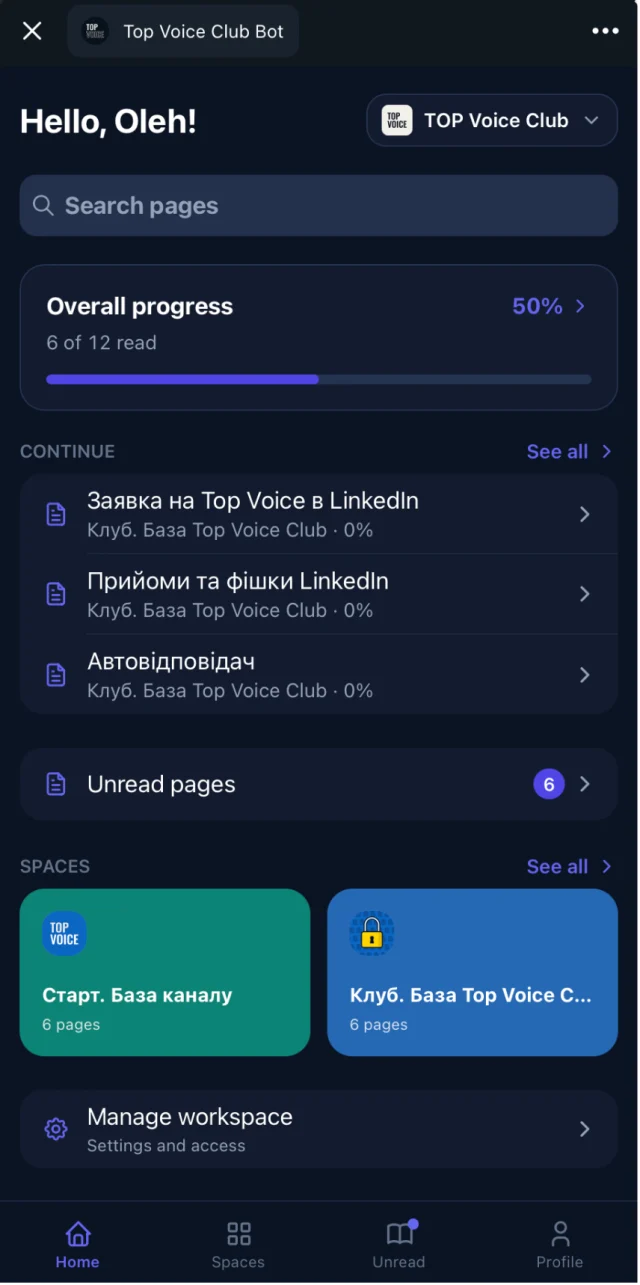
Embedify is a knowledge base built for communities that live in Telegram. It opens as a Telegram Mini App, so members tap a button in the chat and the library appears on top of Telegram, without a browser tab or a login screen.
Access that follows the group
Members of the connected Telegram group get access automatically. When someone leaves the group, their access goes with them. No invites, no lists.
Your own bot (white label)
On Basic and up, from $29/month, you connect your community's own bot. The library opens under your community's name and avatar.
Search that understands meaning
Full-text plus semantic search, so "how do I price a project" finds the page titled "Rate negotiation".
Videos with summaries
Embed YouTube and Vimeo recordings with a transcript and an AI summary. Members skim a 90-minute call in 2 minutes.
Spaces and access groups
Split content into spaces and decide who sees what: free vs paid tier, cohort A vs cohort B, mentors only.
Reading progress
See who opened a page and who finished it, so you know the onboarding guide is actually read.
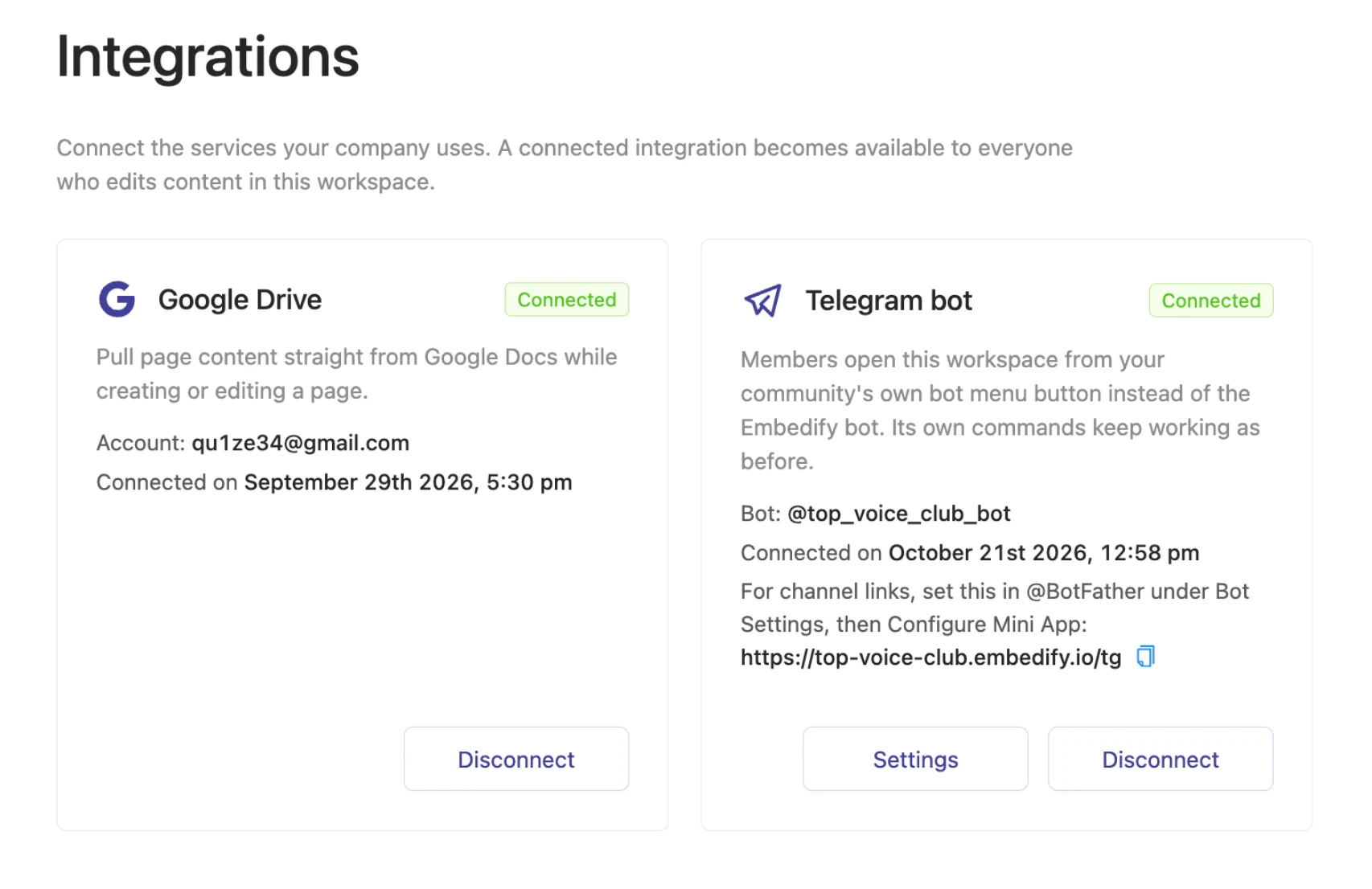
The content side is just as simple. Write in the page editor with rich formatting and an automatic table of contents, or import Google Docs and keep them in sync: edit the doc, and the page updates. Google Slides, PPTX and PDF decks show on the page too. More on that in Google Docs to knowledge base.
Set up your Telegram knowledge base in 10 minutes
Connect your bot
Create a bot with BotFather and connect it to Embedify, so the library opens under your community's name. On the Free plan you can start with the Embedify bot.
Connect your Telegram group
Link the group your members are already in. From now on, group membership is the access list.
Import your Google Docs
Paste links to the docs you already have. Each one becomes a page and stays in sync with the original.
Members tap the button
Pin a message with the button or point people to the bot. They tap it, the library opens inside Telegram, and nobody creates an account.
Automatic access: Telegram group management without the admin work
Picture a 300-member club with 30 people joining and 20 leaving each month. With a Notion wiki, that's 50 manual changes a month, every month, and one missed removal means an ex-member keeps reading paid material.
Chat plus a separate wiki
- New member joins the chat, then waits for a Notion invite
- Admin removes leavers from the chat and the wiki
- Recording links get lost in pinned messages
- The same 5 questions come up every week
Chat plus Embedify
- New member joins the chat and the library is already open to them
- Leaving the group removes access too
- Every recording sits on a page with a transcript and summary
- You answer with a link to the page
If you run tiers, map each Telegram group to an access group: the paid group sees the paid spaces, the free group sees the public ones. The details are on automatic access for Telegram group members.
Who a Telegram knowledge base is for
Paid clubs
Guest session recordings, templates and member resources that only paying members see.
Online schools and cohorts
Lessons and homework docs for each cohort, kept apart with access groups.
Masterminds
An archive of every session with a summary, so members who missed a call can catch up.
Professional communities
Rules, FAQs and how-tos, so admins stop answering the same questions in the chat.
If your posts are one-off articles for a public channel, Telegraph may be all you need. If you're still choosing a messenger for your community, start with Telegram vs WhatsApp for communities.