 Download App
Telegraph
Free one-page publishing by Telegram. No account needed. Opens with Instant View.
Free
If you publish long posts on telegra.ph and they've started piling up, you may be after a telegra.ph alternative. Telegraph is great for a single article. Once you have 50 of them, your community needs structure, search and private access.
Free one-page publishing by Telegram. No account needed. Opens with Instant View.
Free Embedify
Knowledge base inside Telegram, with spaces, search, private access and video summaries.
Free plan, own bot from $29/moTelegraph is Telegram's own publishing tool. You open telegra.ph, type a title and some text, add images or an embedded video, and press Publish. You get a link that opens in Telegram with Instant View, so it reads fast on a phone.
There's no sign-up. If you want, the @Telegraph bot links your posts to an account, so you can edit them from other devices and see page view counts.
From blank page to a link in a minute, with no account and no cost.
Links open inside Telegram in a clean reading view.
Announcements, long reads and guides anyone can open and share.
We'd be wrong to tell you to stop. Telegraph is the right tool when:
The trouble starts when Telegraph becomes your community's library by accident. Three things usually happen.
Each post is a separate page. There's no folder, no menu and no search across your posts. Members scroll the channel for the link, or ask the admin to resend it.
A Telegraph page is open to anyone who has the link. If your paid group's guide gets forwarded, it's readable by everyone, including people who left the group a year ago.
Edits work from the browser you published in, or from an account linked through the @Telegraph bot. If you published from an old laptop and never linked an account, updating that pricing guide means publishing a new page and chasing every old link.
Embedify keeps what's good about Telegraph: it reads inside Telegram, on a phone, with no new account. It adds what a growing community needs.
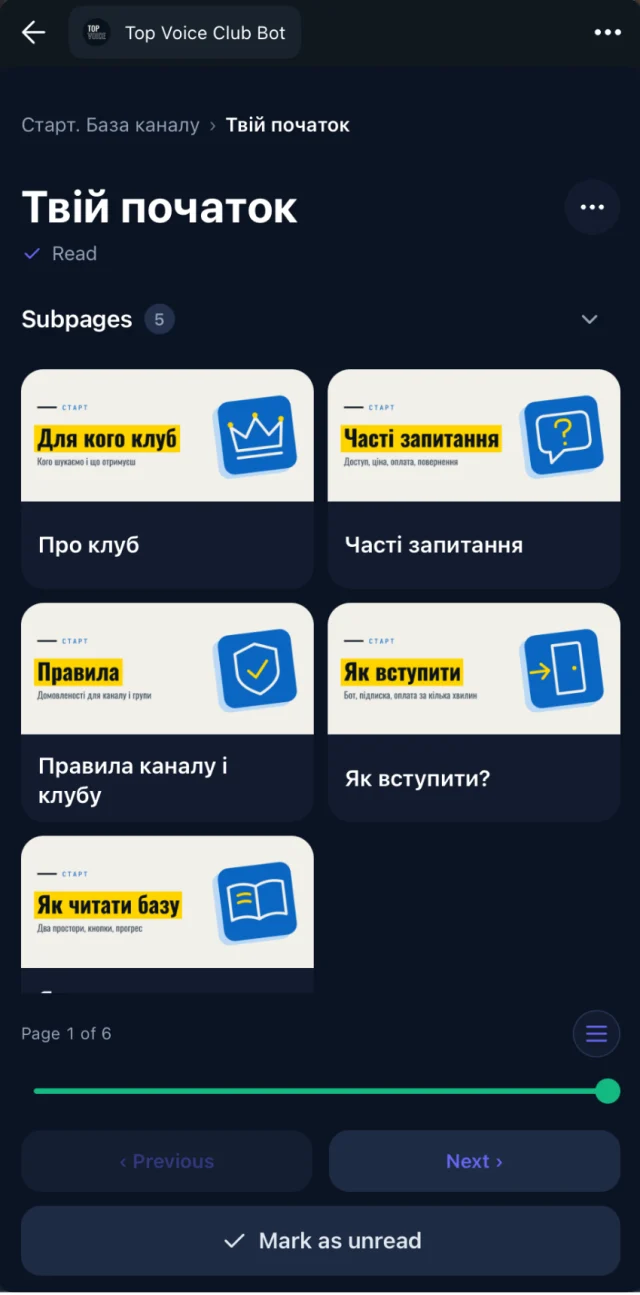
Pages live in spaces, with subpages and an automatic table of contents. Your onboarding, guides and recordings each get their own place.
Full-text and semantic search across everything. Someone typing "how do I price a project" finds the page called "Rate negotiation", and the minute in a recording where it was discussed.
Connect your Telegram group, and its members get access automatically. When someone leaves, access goes with them. Access groups let you show some spaces to everyone and keep others for paid members only.
Update a page and the link members already have shows the new version. If you write in Google Docs, import the doc and keep it in sync.
YouTube and Vimeo videos get a transcript and an AI summary. Admins see who opened and who finished each page. On Basic and up, the library opens from your own bot, under your name.
Search your channel for telegra.ph and list the posts that still matter.
Paste each post into the Embedify editor, or into a Google Doc you import. Tidy formatting cleans up headings, lists and spacing.
Group posts into spaces and subpages, and decide which spaces are open and which are for members.
Replace the list of links in your pinned message with a single button that opens the library.
| Telegraph | Embedify | |
|---|---|---|
| Account | Not needed; optional via @Telegraph bot | Members use their Telegram account |
| Private access | No, anyone with the link | Yes, by Telegram group membership |
| Search across pages | No | Full-text and semantic search |
| Structure | Single pages | Spaces, subpages, table of contents |
| Editing | Same browser or linked account | Any time, from the editor or Google Docs |
| Analytics | Page view counts via the bot | Who opened and who finished |
| Video | Embeds | Embeds with transcript and AI summary |
| Branding | Telegraph | Your own bot on Basic and up |
| Price | Free | Free plan; own bot from $29/month |
Telegraph features checked on telegra.ph and Telegram's blog in November 2026. For Embedify Pro and Scale, see pricing.
for public, one-off posts: an announcement, a long read for your channel, something people will read once and forward.
when your posts have become a library: members need to find them, some are for paid members only, and you want to know who read them. It's the telegra.ph alternative built for communities.
Many admins use both: Telegraph for public posts, Embedify for the members' library.
Running a channel with lots of long posts? See Embedify for Telegram channel authors.
Telegraph (telegra.ph) is a free publishing tool made by Telegram. You write a page without an account, publish it and share the link, which opens in Telegram with Instant View.
No. Anyone with the link can open a Telegraph page. For private pages that only your group members can read, use a knowledge base with access control, such as Embedify.
Open the post in the same browser you published it from and press Edit. To edit from other devices, log in through the @Telegraph bot, which links your posts to an account.
Telegraph has no folders or search across pages. You can copy your posts into Embedify, arrange them in spaces and subpages, and give members one button that opens the whole library.
Embedify opens inside Telegram like Telegraph does, and adds spaces, search, private access by group membership, reading progress and video summaries. It has a free plan with no time limit.
Start free and build your first knowledge base from your own materials. Add your own branded bot from $29/month.