
 Download App
Why people look for Discord alternatives in 2026
In February 2026 Discord announced global "teen-by-default" settings. Every account starts with teen-appropriate settings, and adults verify their age (face scan or ID through a third-party vendor) to see sensitive content or join age-restricted servers. Discord said most adults wouldn't need to verify, since an age inference model handles many cases.
That news sent a lot of people searching. But the reasons community owners leave are usually older and more practical.
Privacy worries
Some members don't want to hand an ID or a face scan to anyone, especially after a vendor breach exposed IDs in October 2025.
Wrong audience
Discord feels like a gaming app. Lawyers, founders and parents in a school group often never install it.
Knowledge drowns
Good answers and session recordings sink under new messages, and pins only help for a week.
Ownership
Some groups want to self-host their chat, or at least know where the data sits.
The best Discord alternatives at a glance
| Tool | Best for | Group size | Price | Voice and video | Who hosts your data |
|---|---|---|---|---|---|
| Telegram | Large public and professional groups | Up to 200,000 per group; channels unlimited | Free (optional Premium) | Video chats with thousands of participants | Telegram's cloud |
| Slack | Work teams and small paid groups | Priced per user | Free; Pro from $7.25/user/mo | Huddles (1:1 only on Free) | Slack |
| Element (Matrix) | Privacy-minded and open-source groups | Depends on the server | Free app; self-hosting free for non-professional use | Yes (Element Call) | You, or the server you join |
| Stoat (formerly Revolt) | Discord-like servers without a big company | Server-based | Free and open source | Voice chat | Stoat, or you if you self-host |
| WhatsApp Communities | Local, family and neighbourhood groups | Up to 2,000 per community; 1,024 per group | Free | Voice and video calls | WhatsApp (end-to-end encrypted chats) |
| Mattermost | Teams that must self-host | Up to 250 users on Professional | Free open-source edition; paid via sales | Calls (about 50 per server self-hosted) | You |
| Circle | Paid communities with courses | Unlimited members | From $89/mo (annual) + 2% fee | See Circle's plan details | Circle |
| Skool | Simple paid groups with a classroom | Unlimited members | $9/mo + 10% or $99/mo + 2.9% | Live calls | Skool |
Facts and prices checked on the vendors' own pages between September and November 2026. Prices change, so check each vendor's pricing page before you decide.
1. Telegram: the best Discord alternative for large and professional communities
Telegram groups hold up to 200,000 members, and channels have no subscriber limit. Groups can be split into topics, which gives you something close to Discord channels inside one chat. Video chats in groups can have thousands of participants and an unlimited number of listeners.
It's widely used across Eastern Europe, so a professional club in Kyiv or Warsaw often finds its members are already there. Nobody has to install a new app.
- Best for: professional clubs, paid groups, regional communities, channel authors with a discussion group.
- Price: free. Telegram Premium is an optional paid subscription for individual users.
- Weak spots: no built-in roles as fine-grained as Discord's, fewer gaming integrations, and long-lived content still gets buried in the chat.
- Pick it if: your members already use Telegram, or you want one app for announcements (channel) and discussion (group).
For a deeper side-by-side, read Discord vs Telegram + Embedify and Telegram vs WhatsApp for communities.
2. Slack: the Discord alternative for work-style communities
Slack is the closest thing to Discord for people who live in a work context. Threads, channels and integrations are excellent, and many founders and operators already have it open all day.
The catch is cost and memory. Slack's Free plan keeps messages for 90 days, allows 10 apps and limits huddles to 1:1 calls. Paid plans are priced per user: Pro is $7.25 per user per month on annual billing ($8.75 monthly), Business+ is $15 annual ($18 monthly). For a 500-member community, per-user pricing adds up fast.
- Best for: small, high-value groups such as founder circles or alumni of a paid program.
- Weak spots: 90-day history on Free, per-seat pricing, and many members treat it as "work" and mute it.
- Pick it if: your members already use Slack daily and the group is under a few hundred people.
Slack alternatives come up in the same searches. Mattermost and Element (below) are the usual Slack alternatives for teams that want to self-host.
3. Element (Matrix): the open, federated option
Element is a chat app built on Matrix, an open standard. Servers federate, so people on different servers can talk to each other, and you can run your own server. Element Call adds voice and video.
Element's free Community edition is self-hosted and open source, aimed at non-professional use and evaluations. The Enterprise and Sovereign plans are priced per seat or per deployment through sales.
- Best for: privacy-focused groups, open-source projects, organisations that want control over their data.
- Weak spots: setup is more technical, and federation concepts confuse non-technical members.
- Pick it if: owning the server matters more to you than a polished onboarding for newcomers.
4. Stoat (formerly Revolt): the closest Discord look-alike
Revolt rebranded as Stoat in October 2025 after receiving a cease-and-desist letter over its old name. The project moved to stoat.chat and kept its core idea: servers, channels and roles that feel familiar to Discord users.
Stoat describes itself as free and open source "now and forever". You can use the hosted service or run your own server. It has voice chat, custom emojis and 20 MB uploads without a subscription, and says it has no ads and doesn't sell data.
- Best for: Discord servers that want the same shape without a large company behind it.
- Weak spots: a much smaller user base, so most members will need a new account; older guides still say "Revolt".
- Pick it if: your members are comfortable trying new apps and you care about open source.
5. WhatsApp Communities: for groups that are already on WhatsApp
A WhatsApp Community bundles several groups under one roof with an announcements group on top. According to WhatsApp's help center, a community can have up to 2,000 members in total, and a single group holds up to 1,024.
- Best for: parents' groups, neighbourhoods, local clubs, family-and-friends communities.
- Weak spots: smaller caps than Telegram, members are tied to phone numbers, and there's no searchable home for shared files and recordings.
- Pick it if: everyone already uses WhatsApp and the community stays under 2,000 people.
6. Mattermost: self-hosted chat for teams
Mattermost is an open-source, self-hosted Slack alternative. Its docs describe a free, open-source Team Edition you run yourself. Paid plans (Professional for up to 250 users on a single server, Enterprise and Enterprise Advanced) are sold as annual subscriptions through sales, so there's no public price.
Self-hosted calls run at roughly 50 concurrent users per server, according to Mattermost's pricing page.
- Best for: engineering teams and regulated organisations that must keep chat on their own servers.
- Weak spots: built for work, so it feels formal for a hobby or members' club; someone has to run the server.
- Pick it if: compliance or data residency is the main reason you're leaving Discord.
7. Circle: an all-in-one platform for paid communities
Circle is a different kind of answer. Instead of another chat app, it's a community platform with discussion spaces, courses, events and payments. Members join on Circle's site or app.
Pricing starts at $89 per month for Professional on annual billing, then Business at $199 and Scale at $419, with Circle Plus on custom pricing. Transaction fees are 2% on Professional, 1% on Business and Scale and 0.5% on Circle Plus. Custom branded mobile apps are only on Circle Plus. There's a 14-day trial.
- Best for: course creators and paid communities that want chat, courses and checkout in one place.
- Weak spots: you pay a monthly fee plus a cut of sales, and members must adopt a new platform.
- Pick it if: you're building a paid community from scratch and want everything on one bill.
See Circle vs Embedify for the detail.
8. Skool: a simple paid group with a classroom
Skool combines a community feed, a classroom for courses and a calendar. Pricing is short: Hobby at $9 per month with a 10% transaction fee, or Pro at $99 per month with a 2.9% fee. Both have unlimited members, courses and live calls.
- Best for: coaches and creators who sell one community with a course inside.
- Weak spots: a fixed layout and a feed-first design; old posts are hard to find once the group is busy.
- Pick it if: you want to start charging this week and don't mind your members moving to Skool.
More in Skool vs Embedify and our community platform pricing guide.
How to choose a Discord alternative
Start with where your members already are
The biggest risk in any move is people who never show up on the new app. If 80% of your members open Telegram or WhatsApp daily, that matters more than any feature list.
Decide if you need voice
Discord is excellent at always-on voice rooms. Telegram, Element and Stoat cover voice and video; WhatsApp is better for calls than for hangouts.
Check the size limit against your plans
WhatsApp stops at 2,000 per community. Slack gets expensive per seat. Telegram, Circle and Skool handle large groups.
Decide who should own the data
If self-hosting matters, look at Element, Stoat or Mattermost. Otherwise a hosted app saves you a server.
Plan for your knowledge, too
A chat app keeps conversations. It doesn't keep a library. Read the next section before you move.
Whichever you pick, your community's knowledge still needs a home
Every app on this list is good at conversation. None of the chat apps is good at the stuff your community builds up over months: the recording of last Tuesday's guest session, the pricing template a member shared, the answer to the question new members ask every week.
A busy community without a library
- A member scrolls for 10 minutes looking for last month's call
- The same onboarding question gets answered for the 40th time
- Pinned messages hold 12 links, half of them dead
- Admins act as the search engine
The same community with a knowledge base
- Every session is a page with the video, transcript and summary
- New members get one link that answers the first 10 questions
- Search finds "rate negotiation" when someone types "how do I price a project"
- Admins post once and link to it
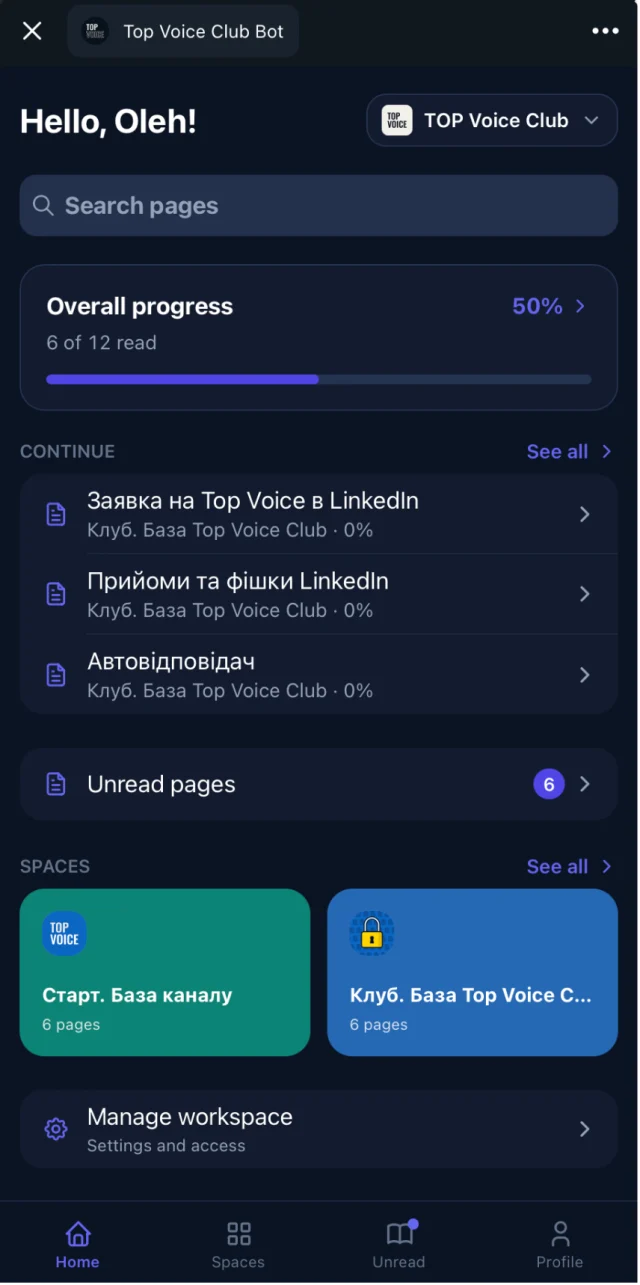
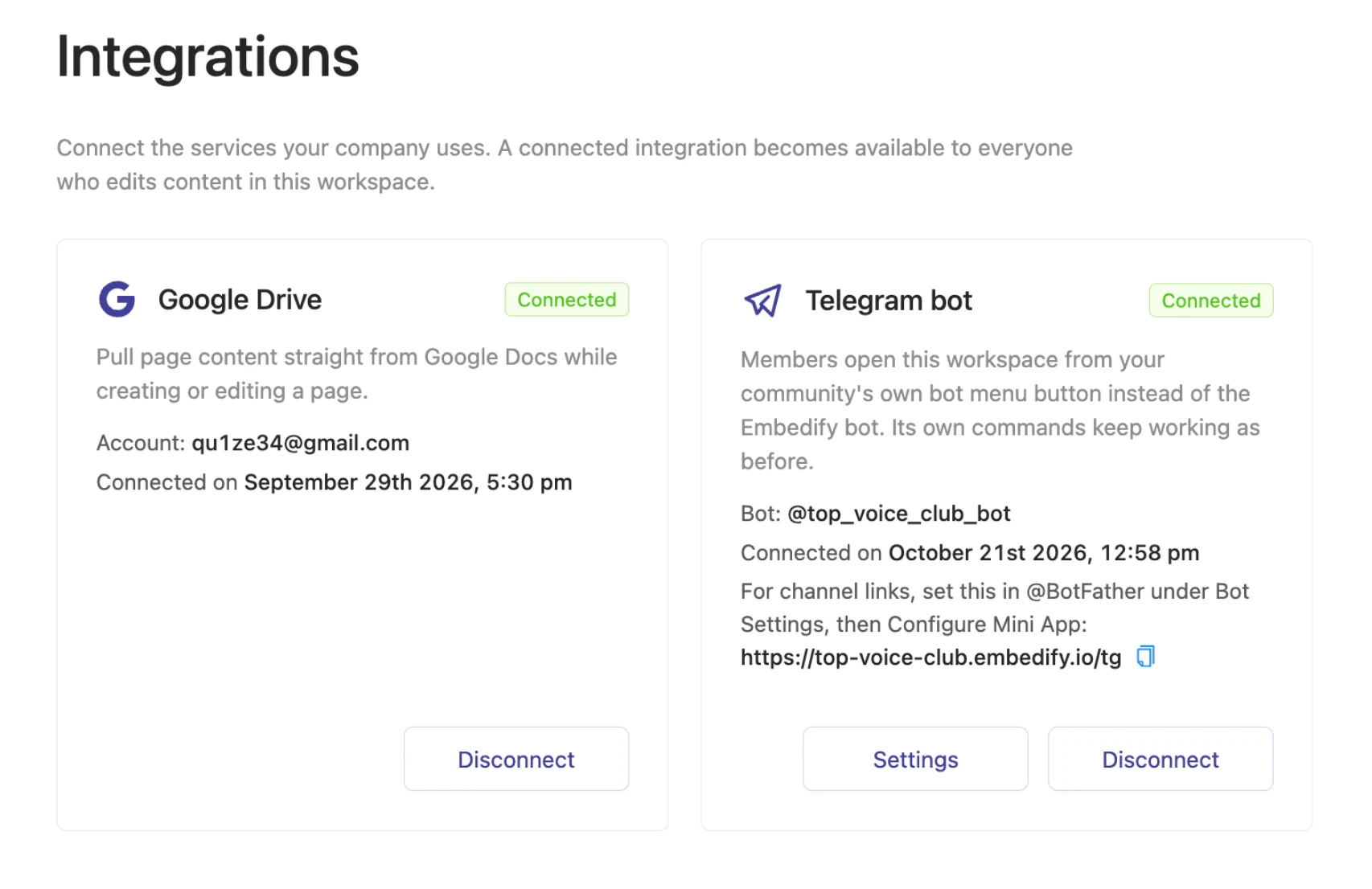
For professional and paid communities, our recommendation is Telegram for the conversation plus a knowledge base inside Telegram for everything worth keeping. That's what Embedify is. It isn't a chat app and doesn't replace your group. It opens as a Mini App from the chat, and members of your Telegram group get access automatically.
Recordings people can skim
YouTube and Vimeo videos with a transcript and an AI summary, so a 90-minute call takes 2 minutes to scan.
Access follows the group
Join the Telegram group, get access. Leave it, lose access. No manual invites.
Search across everything
Full-text and semantic search over pages, decks and what was said in each session.
Start free
The Free plan has no time limit. Your own branded bot starts from $29/month on Basic.
Staying on Discord? The same problem applies, and a docs tool or wiki next to the server helps. Our guide to community knowledge bases covers how to start with 10 pages instead of 200.
Sources
- Telegram FAQ: group, channel and video chat limits
- Slack pricing
- Element pricing
- Stoat (formerly Revolt)
- WhatsApp Help Center: how to create a community
- Mattermost pricing
- Mattermost docs: editions and offerings
- Circle pricing
- Skool pricing
- Roblox developer forum: update on Guilded and Communities
- TechCrunch: Discord to roll out age verification (Feb 2026)