
 Download App
Two kinds of community platform
All-in-one platforms
Circle, Skool, Mighty Networks, Heartbeat, Bettermode, Hivebrite. Members join a new site or app that holds the feed, courses, events and checkout. One bill, one login, your brand on top.
Chat-first plus a content layer
Telegram, Discord, Slack or WhatsApp for conversation, plus a knowledge base for recordings, guides and answers. Members stay in the app they open every day.
Some communities run both: an all-in-one for the course, a chat for the daily talk.
The all-in-one route is cleaner on paper. The chat-first route is usually easier on members. Which one wins depends on where your people are right now.
The riskiest part of any move is the members
Here is our view, stated as a view and not as a statistic: if your members are already active in a chat, moving them to a new platform is the riskiest step you can take.
Picture a 400-person professional club in Telegram. The owner launches a branded community on a new platform. Week one, 150 people create accounts. Week three, the founders and the most active 40 members post there, while everyone else keeps chatting in Telegram, where their friends and notifications already are. Now there are two communities, and the paid one is quieter.
- Every new app needs a download, an account and a new habit.
- Notifications compete with apps people already check 50 times a day.
- The conversation follows the most active members, wherever they choose to be.
None of this matters if you're starting from zero. A new paid community with no existing chat has nothing to migrate, and an all-in-one platform gives it courses, checkout and a branded home on day one.
Don't ask which platform has the most features. Ask where your members will open the app tomorrow morning.
The best all-in-one community platforms
| Platform | Starts at | Higher plans | Transaction fee | Member cap | Branded app |
|---|---|---|---|---|---|
| Circle | $89/mo (annual) | $199, $419, Circle Plus custom | 2% / 1% / 1% / 0.5% | Unlimited | Circle Plus only |
| Skool | $9/mo (Hobby) | $99/mo (Pro) | 10% / 2.9%, card processing included | Unlimited | No |
| Mighty Networks | $79/mo (Launch) | $179, $354, Mighty Pro custom | 2% / 1% / 0.5% / 0.5% | Unlimited | Mighty Pro only |
| Heartbeat | $49/mo, $40 annual (Build) | $149, $849 | 5% / 2.5% / 1.25% + Stripe | 350 / 5,000 / unlimited | See vendor page |
| Bettermode | $199/mo, $149 annual (Starter) | $1,750 ($1,500 annual), Premium custom | Not listed | 10,000 / 25,000 / 100,000+ | See vendor page |
| Hivebrite | Quote-based | Custom plans | See vendor page | See vendor page | See vendor page |
Prices from each vendor's pricing page, checked in November 2026. Some pages show annual-billing rates by default; monthly billing usually costs more. Transaction fees apply on top of Stripe processing unless noted. Always check the vendor's page for current pricing.
Circle
Circle is the best-known online community platform, and it's strong at mixing discussion spaces, courses, events and paid memberships under your brand. Admins get a lot of control over layout and access.
Pricing: Professional $89 per month on annual billing (3 admins, 2% fee), Business $199 (5 admins, 1%), Scale $419 (10 admins, 1%), Circle Plus on custom pricing with 0.5% and branded iOS and Android apps. There's a 14-day trial and no free plan.
Skool
Skool is the simplest of the group: a feed, a classroom and a calendar, with the same features on both plans. That simplicity is the appeal. You can launch in an afternoon.
Pricing: Hobby $9 per month with a 10% + 30¢ fee per transaction, Pro $99 per month with 2.9% + 30¢. Skool processes payments itself, and its help center says card processing is covered by that fee. Unlimited members on both.
Mighty Networks
Mighty Networks combines community, courses, events and memberships, and its top tier builds a fully branded app under your name in the app stores.
Pricing: Launch $79 per month, Scale $179, Growth $354, each listed with fees of 2%, 1% and 0.5%; Mighty Pro is custom-quoted with branded apps. Annual billing adds 2 months free, and the 14-day trial needs no credit card.
Heartbeat
Heartbeat targets creators and small businesses with community, courses and events in one place. Plans are tiered by member count, which makes the bill predictable.
Pricing: Build $49 per month ($40 annual) for up to 350 members with a 5% fee; Grow $149 ($124 annual) for up to 5,000 with 2.5%; Scale $849 ($766 annual), unlimited, with 1.25%. Fees sit on top of Stripe's processing. There's a 14-day trial, and the community is deactivated if you don't upgrade.
Bettermode
Bettermode is a community platform aimed at companies that run customer communities, with plans sized for large member counts.
Pricing: Starter $199 per month ($149 annual) for up to 10,000 members and 5 collaborators; Growth $1,750 ($1,500 annual) for up to 25,000; Premium on request for 100,000+. No free plan; 14-day trial.
Hivebrite
Hivebrite sells configured community management software with custom plans and a dedicated account manager. It's built for organisations that want a platform designed around their membership model rather than a self-serve tool.
Pricing: quote-based. See the vendor's pricing page.
The chat-first option: your chat plus a content layer
The other path is to stop looking for a community building platform and accept that the community already exists in a chat. What's missing is a place for everything that shouldn't scroll away.
| Chat app | Good at | Weak at | Content layer |
|---|---|---|---|
| Telegram | Groups of up to 200,000, channels, topics, mobile-first | Long-lived content sinks in the chat | Embedify, inside Telegram |
| Discord | Voice rooms, roles, bots | Knowledge lives in channels and pins | A wiki or docs tool linked from the server |
| Slack | Threads and work integrations | Free plan keeps 90 days; per-user pricing | A team wiki such as Notion or Confluence |
| Everyone already has it | Communities stop at 2,000 members | A shared drive or a simple site |
Telegram, Slack and WhatsApp limits checked on official pages in November 2026.
For communities in Telegram, Embedify is the content layer we build. It opens as a Mini App inside Telegram, and members of the connected group get access automatically. Leave the group, lose access. Admins don't manage a second member list.
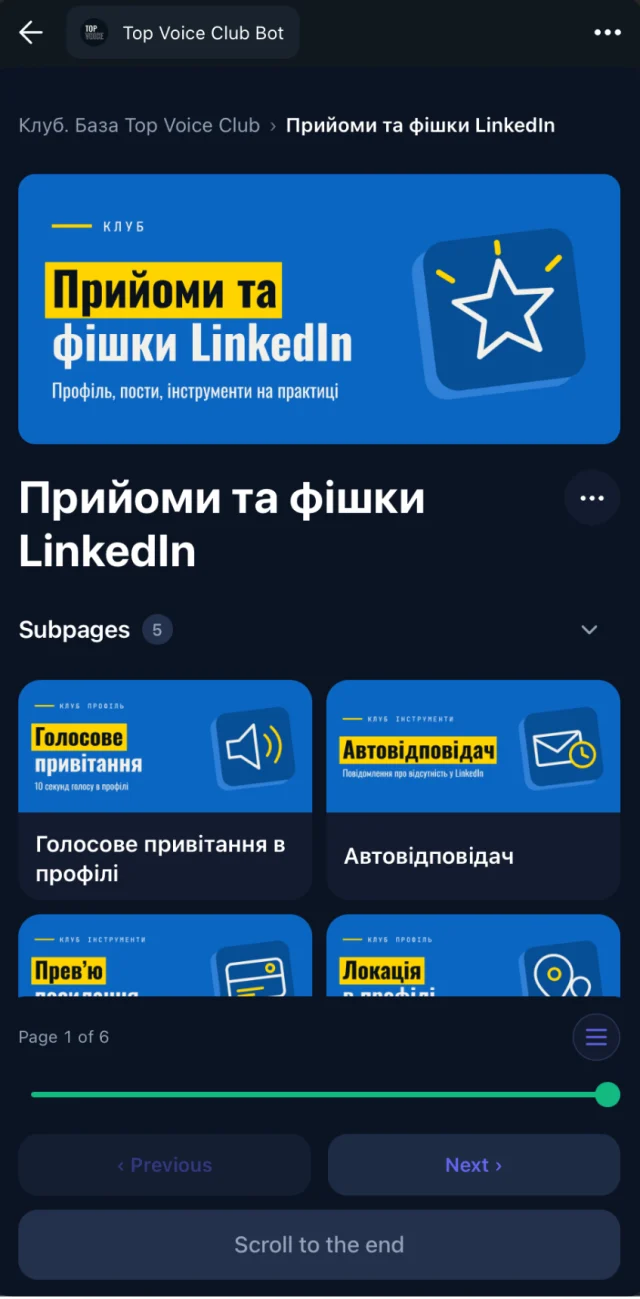
Spaces and access groups
Free and paid tiers, cohorts and mentors each see their own part of the library.
Recordings that are useful later
YouTube and Vimeo videos with a transcript and AI summary on the page.
Search over everything
Full-text and semantic search across pages, decks and session transcripts.
Your own bot
On Basic and up, the library opens from your community's own Telegram bot, under your name.
Pricing: Free with no time limit for open content and unlimited readers. Basic, with private access for up to 300 members and your own bot, starts from $29/month. Pro and Scale: see pricing.
What Embedify doesn't do: it isn't a chat, a course checkout or a feed. For payments in Telegram, people pair it with a paywall bot; Tribute, InviteMember and Embedify explains how those fit together.
What all-in-one platforms do better
To be fair to the all-in-ones: there are jobs a chat plus a knowledge base won't do as well.
- Courses with structure. Course areas with ordered lessons are part of Skool, Circle, Mighty Networks and Heartbeat.
- Checkout in the same place. Members pay and join in one flow, without a separate paywall bot.
- A branded home on the web. Your community has its own site, which helps if you sell to people who don't use any chat app yet.
- One vendor. One bill, one support team and one export when you leave.
If those matter most to you, pick an all-in-one and don't look back. The chat-first route wins when the community already exists and the main job is keeping its knowledge findable.
How to pick the best community platform for you
Count where your members are today
If most of them already chat in one app, start from the chat-first option and add a content layer. If you have no members yet, an all-in-one is the faster start.
Work out what you're selling
A course with lessons and progress fits Skool, Circle or Mighty. Access to people and a library of past sessions fits a chat plus a knowledge base.
Price it at your real size
Add the monthly plan, the platform's transaction fee and card processing. Our community platform pricing guide does the maths for 3 example clubs.
Decide how much branding you need
Branded mobile apps sit on the top, custom-priced tiers of Circle and Mighty Networks. A branded bot in Telegram starts from $29/month on Embedify.
Plan the exit
Ask how you'd export members and content if you leave. It's easier to ask before you move 1,000 people than after.
Private community platform or open community?
A private community platform hides content behind a login or payment. All the all-in-ones on this list support private, paid spaces. In the chat-first model, privacy comes from the chat itself (a private Telegram group) plus access rules in the content layer.
For paid clubs, the useful question is how access changes. On most platforms an admin or a payment integration adds and removes members. With Embedify, access follows membership of the Telegram group, so whatever controls the group (you, or a paywall bot) also controls the library.