
 Download App
The chore every Telegram group admin knows
In a paid Telegram group, the chat is only half the product. The other half is the material: recordings, templates, guides. And that usually lives in Notion, Google Drive or a course platform, each with its own member list.
So every new member needs an invite to each tool. Every person who stops paying needs removing from each tool. Miss one, and an ex-member keeps reading what others pay for.
Here's what that looks like in a 300-member club with 30 people joining and 20 leaving each month:
Chat plus separate tools
- 30 invites and 20 removals a month in Notion
- The same 50 changes again in Google Drive
- And again on the course platform
- 150 manual changes a month across 3 tools
- Ex-members who slip through keep access
Chat plus Embedify
- 0 manual changes
- A new member joins the group and the library is open to them
- A member leaves the group and access goes too
- One list to manage: the Telegram group
- Your time goes into content, not access lists
How to give Telegram group members access to content
Connect your bot
Use your community's own bot (Basic and up, from $29/month) so the library opens under your name.
Connect your Telegram group
Link the group your members are already in. Membership is now the access list.
Choose what the group sees
Assign the group to an access group, and the access group to the spaces it can open.
Pin the button
Members tap it, Telegram identifies them, and they see exactly the spaces their group allows.
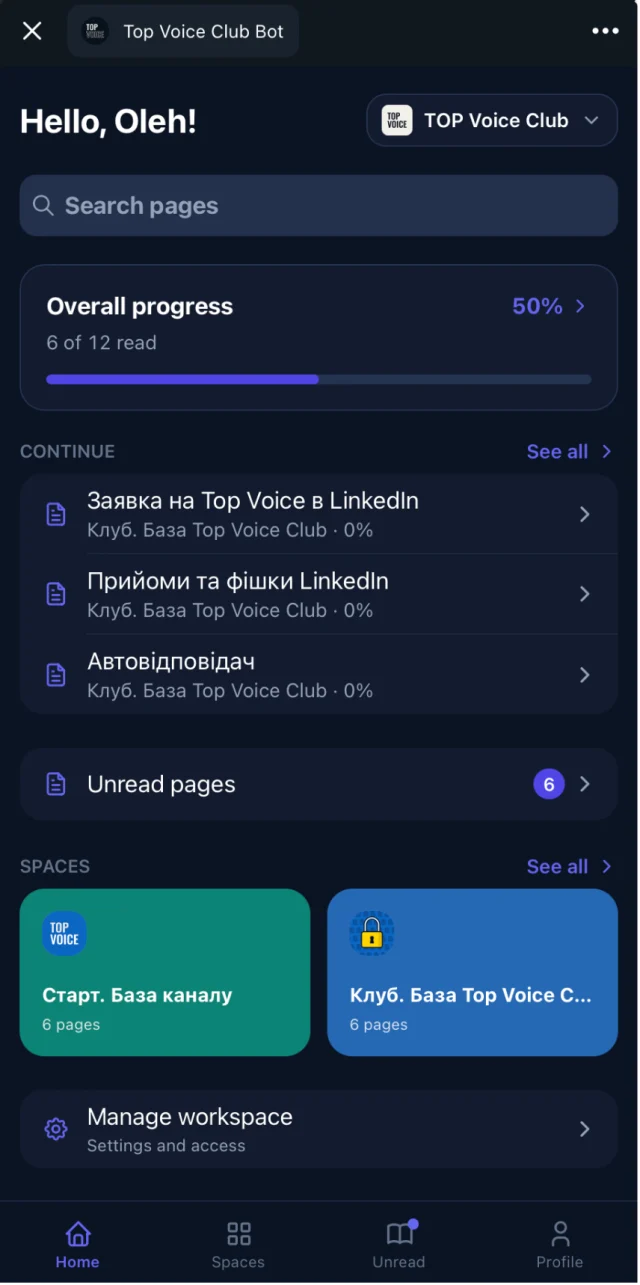
Access groups map to Telegram groups
Content in Embedify is split into spaces. Access groups decide who sees which spaces. Connect each Telegram group to an access group, and the tiers you already run in Telegram carry over to the library.
| Telegram group | Access group | Spaces they see |
|---|---|---|
| Free community chat | Free | Welcome guide, rules, public recordings |
| Paid members chat | Paid | Everything above, plus session archive, templates, guest talks |
| Mentors chat | Mentors | Mentor playbook and internal notes |
The same works for cohorts. A school running cohort A and cohort B in 2 Telegram groups keeps each cohort's lessons apart, and a student who moves from one group to the other sees the new cohort's material. More on this in spaces and access groups.
What happens when someone is removed from the chat
When a member leaves the group or an admin removes them, they lose access to the spaces that group gave them. You don't open a second tool to clean up.
This pairs well with Telegram payment bots. Tools like Tribute and InviteMember add paying people to a private group and remove them when the subscription ends. Embedify follows the group, so the library follows the payment.
Privacy and who sees what
- Members sign in with their Telegram account. They don't create a password or share an email to read the library.
- People outside your connected groups can't open private spaces.
- Admins see reading progress: who opened a page and who finished it. Tell members this in your welcome guide.
- You decide what is public (open content on the Free plan) and what is private (Basic and up, up to 300 private members).
For the full details, read our privacy policy. For how this fits into a complete library, see Telegram knowledge base.