
 Download App
Who this is for
You make things people learn from. Maybe you run a Telegram channel about investing, a YouTube channel about woodworking, or a blog about product design. You post often, and some of it is good enough that people ask for it again months later.
Here are three situations this page is written for.
The YouTuber with 200 videos
A viewer asks which video covers glue for outdoor furniture. You know it exists. It's somewhere in a 40-minute episode from two years ago, and the title doesn't say so.
The channel author with a paid group
Your free channel has 15,000 readers. A smaller paid group gets deeper material, but it's scattered across Telegraph links that anyone can forward.
The blogger who writes in Google Docs
Every guide starts as a doc. Publishing means copying it somewhere, fixing the formatting, and doing it again after every edit.
In each case the work exists. What's missing is a shelf to put it on, where readers can browse it, search it and come back to it.
How this differs from our other creator pages
If your main problem is long Telegram posts that no longer fit in a message, read the page for Telegram channel authors. It's about moving long reads off Telegraph. If you run a membership club built around guest sessions and member networking, the page for paid communities fits better.
This page is about something wider: your whole body of work as a product. Posts, videos, guides and templates, organized so everyone who joins your free Telegram group or channel gets the best of it for free, and a fan can pay for the rest.
Why Embedify fits creators
- Pages from what you already have. Write in the editor, paste a post, or import a Google Doc that stays in sync (Basic and up). Edit the doc and the page follows. See Google Docs sync.
- Long videos people can skim. Add YouTube or Vimeo videos to a page and each gets a transcript and an AI summary. A reader gets the point of a 50-minute episode in 2 minutes. See video summaries.
- Search across everything. Full-text plus semantic search covers pages, decks and video transcripts, so "outdoor glue" finds the episode where you said it. See knowledge base search.
- Free and private spaces. One open space becomes your lead magnet library: a free library that rewards people for joining your free group or channel. Private spaces hold the material fans pay for, and access groups decide who sees which. See spaces and access groups.
- Access through your Telegram group or channel. Members of a connected group or channel get access automatically and lose it when they leave. Details on automatic access for group members.
- A second-language audience. On Basic and up, text translation gives readers a version in their language from the same page. See translation.
- Your own bot and avatar. On Basic and up, the library opens as a Telegram Mini App under your name, not ours.
Rules for a creator content library
- Publish the best, not everything. A library of 30 strong pages beats an archive of 600 posts nobody can sort.
- Give away real value in the free space. A free library that feels like a teaser gives nobody a reason to join your free group. Put a complete, useful guide there.
- One topic per page. Readers search for a question. A page that answers one question is easy to find and easy to link.
- Every video gets a page. Never post a bare video link in the library. The page holds the video, the summary, and the links to related pages.
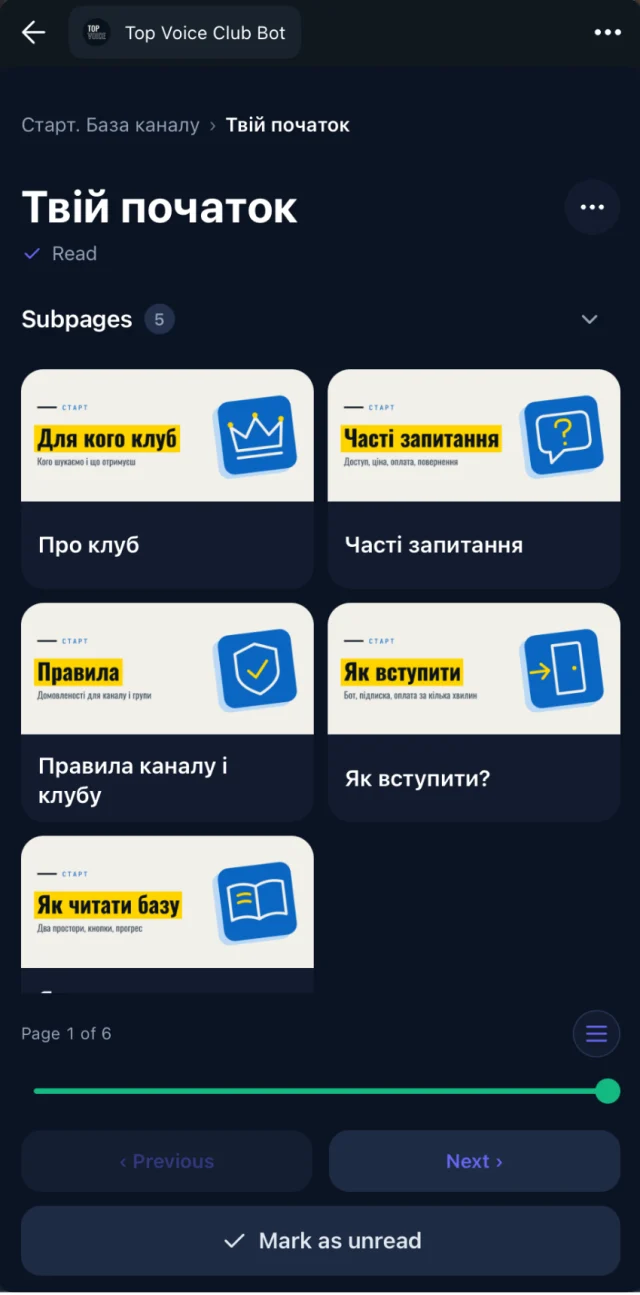
- Keep a "Start here" page. New readers need a path: who you are, what's free, what's paid, and the three pages to read first.
- Let the group decide access. Don't keep a second list of paying fans by hand. Connect the paid group and let membership do the work.
- Point every post somewhere useful. End each channel post with a link to the matching library page, and each video description with an invite to your free group or channel, where the library waits.
Example: a space structure for a creator
Start here (everyone in the free group)
  About me and what this library is
  Best of: 10 pages to read first
  How to join the members space

Free guides (everyone in the free group)
  Beginner guide, part 1
  Beginner guide, part 2
  Tools I use

Video library (everyone in the free group)
  Episode pages by topic, each with transcript and summary

Members only (paid group only)
  Deep-dive series
  Templates and checklists
  Live Q&A recordings with summaries
  Slides from workshops
Everything above the members space opens for everyone in your free Telegram group or channel, so joining it is what gives access. The members space opens only for people in your connected paid group.
A worked example: a design YouTuber
Picture a designer with a YouTube channel and a free Telegram channel. She has about 120 videos and a small paid Telegram group for people who want feedback and templates. Payment runs through a paywall bot that adds and removes people from the group.
She starts on the Free plan. She links her free channel to the open space, so every subscriber can read it, and makes a "Start here" section and a "Video library" section with one page per topic: typography, color, portfolio reviews. Each page holds two or three related videos, with their transcripts underneath. Search now finds the video where she explained kerning, even though the title says "Logo critique #14".
When she is ready for the paid side, she moves to Basic, and her video pages get AI summaries too. She connects her own bot, imports her template guides from Google Docs into a private "Members" space, and connects the paid group to that space's access group. New members see the space the moment they join. People who cancel and get removed from the group lose it.
Embedify pages aren't public or indexed, so discovery still happens on YouTube. Her video descriptions invite viewers to the free channel, and channel posts link to the matching page. The "How to join" page points free readers to the paid group.
Your archive is already a product. It just needs a shelf people can find things on.
Best practices that keep the library useful
Add pages as you publish
When a new video or post goes out, add its page the same day. Catching up on 50 later never happens.
Write titles as questions
"How do I price a logo" is what people type. Semantic search helps, but clear titles help more.
Refresh the "Best of" list monthly
Swap in new pages that did well and drop the ones that aged badly.
Check reading progress
See which pages people open and finish. If nobody finishes a guide, split it or rewrite the start.
Keep sources in Google Docs
Edit in the doc you already use. With sync, the page updates and you never re-share a link.
When another tool fits better
Embedify is a library that opens in Telegram. It is not a full creator business platform, and some needs belong elsewhere.
- Checkout and payments. Embedify does not sell anything. Use a paywall bot or your existing payment tool.
- Courses with quizzes and certificates. There is no grading, no quizzes and no certificates. A course platform suits that better.
- A branded website. There is no custom domain and no custom page design or themes. Pages aren't public or indexed either, so for search traffic keep a blog or website.
- Email newsletters. Embedify doesn't send email. Keep your newsletter tool and link to the library from it.
Choose a course or creator platform
if you sell structured courses with lessons, quizzes and certificates, need checkout built in, or want a website on your own domain.
Choose Embedify
if your audience lives in Telegram, your work is posts, videos and guides, and you want them searchable, with a free part and a part for paying fans.
Many creators use both: a payment tool or course platform for selling, and Embedify as the library members open from the chat.
What it costs
Free is $0 with no time limit, with unlimited content and members and Embedify branding. Readers here are members, such as everyone in your free group or channel, so Free covers the free library. Pages stay private to members. Private spaces, your own bot, Google Docs sync and text translation start on Basic, from $29/month for up to 300 private members. Pro, from $79/month, adds up to 1,000 private members and speaker pages. See pricing for the details, or start for free.