
 Download App
How to find guest speakers for your community
The best guest speaker for a community is rarely the most famous person in your field. It's the person whose answer your members keep quoting, or the one who solved the exact problem half your chat is stuck on.
Start close to home and work outwards.
Your own members
Someone in the group just shipped, sold, hired or launched the thing everyone asks about. A member speaker is easy to book and often the most useful.
People your members quote
Search your chat for names and links that come up again and again. Those authors already have an audience inside your community.
Past speakers' referrals
End every session by asking the speaker who they'd want to hear next. Speakers know other speakers.
Other organisers
People who run a nearby community can swap speakers with you, or recommend someone their members liked.
Pick a topic before you pick a person. "How we priced our first retainer" gets a clearer yes than "come talk to our community about anything".
A guest speaker invite message you can copy
Keep the first message short. Say who your members are, what you're asking for, how long it takes and what the speaker gets. Six lines is enough; details can follow once they say yes.
Hi [Name],

I run [community name], a group of [number] [who they are, e.g. agency owners] who meet every [day] in Telegram. Your [post / talk / thread] on [topic] keeps coming up in our chat, and our members would love to hear it from you.

Would you join us for a [45]-minute session on [specific topic], with 15 minutes of Q&A?

Proposed dates: [date 1] or [date 2], at [time + time zone], on [Zoom / Google Meet].

We record it, and you get a speaker page with the recording, your bio and links that you can share.

If it's a yes, I'll send a short brief. Happy to work around your calendar.

[Your name]
Speaker bio template
The speaker bio does 2 jobs. Before the event, it tells members why they should show up. After the event, it sits on the speaker page and tells new members why this recording is worth an hour.
Write it in the third person, keep it under 100 words, and lead with what the speaker has done that matters to your members, not their job title history.
[Full name] is [role] at [company or project], where [one concrete result, e.g. "she grew the agency from 3 to 25 people"].

Before that, [one or two relevant past roles or achievements].

In this session, [first name] will cover [topic], including [point 1], [point 2] and [point 3].

[First name] lives in [city] and [one human detail, optional].

Links: [website] | [LinkedIn / X / Telegram channel] | [book, course or newsletter]
Speaker bio example
"Anna Kovalenko is the founder of a 12-person design studio, where she moved every client to monthly retainers in 2025. Before that, she led design at 2 fintech startups. In this session, Anna will cover how she priced her first retainer, what she put in the contract, and how she handled the client who said no. Links: studio site, LinkedIn, Telegram channel." The person is fictional; the shape is the point.
Before the session: what to ask your guest speaker for
Send the brief as soon as the speaker says yes. Ask for everything at once, so you're not chasing a photo 10 minutes before the call.
Bio and photo
The bio in the format above, plus a square photo. You'll use both in the announcement and on the speaker page.
Topic and 3 takeaways
One sentence on the topic and 3 things members will leave with. This becomes your announcement post.
Deck
Google Slides, PPTX or PDF. Ask for it the day before, so you can add it to the page right after the call.
Links
Website, social profiles and anything they'll mention: a template, a book, a tool.
Recording consent
A clear yes to recording, and agreement on who sees the replay: everyone, or members only.
A guest speaker who gets a tidy page afterwards is a speaker who says yes the second time.
After the session: one speaker page with every session they gave
Here's where most guest sessions fall apart. The recording link lands in the chat on Tuesday, the deck arrives as a PDF on Wednesday, the bio was in last week's announcement, and by next month nobody can find any of it.
In Embedify, each guest speaker gets a page: name, bio, photo, links, and every session they gave, with dates. Each session links to its own page with the recording, transcript, AI summary and deck.
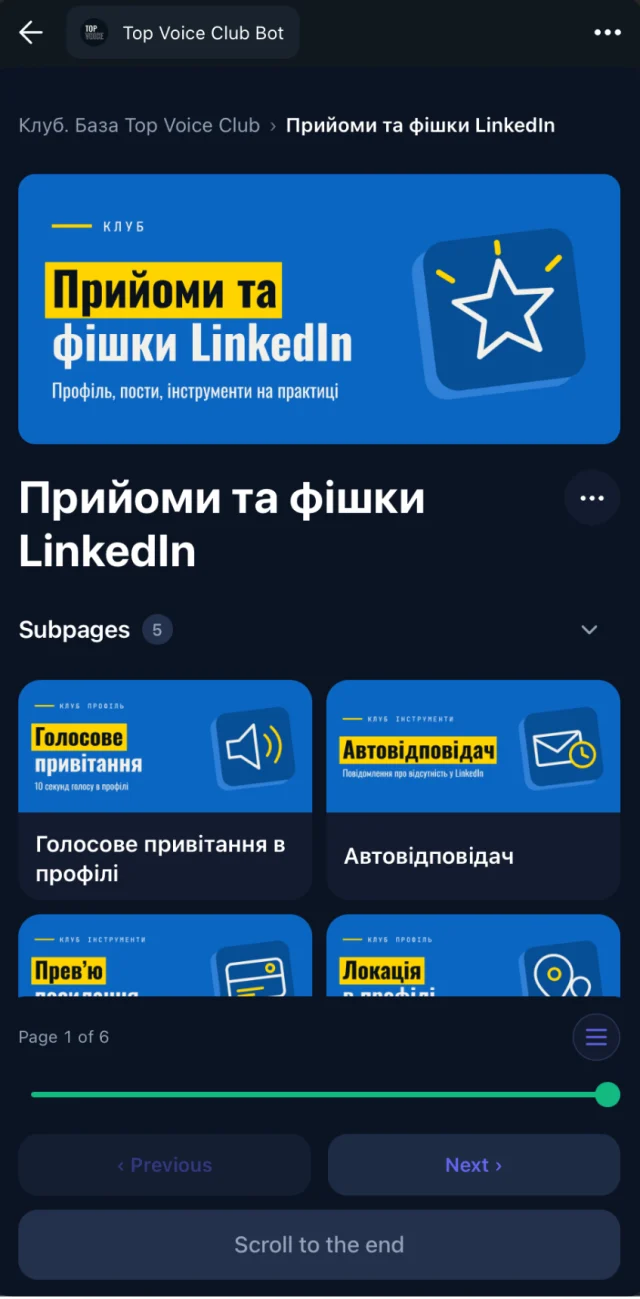
Recording on the page
Embed the YouTube (unlisted works) or Vimeo video. Members watch it inside Telegram.
Transcript and AI summary
Members skim the summary first and jump into the video only for the part they need. See video summaries.
The deck next to it
Google Slides, PPTX or PDF shown on the page, readable on a phone. See presentations.
Every session, one place
When a speaker comes back a second or third time, the new session joins the same speaker page.
Why guest speakers like having a speaker page
- A link they can share. The speaker gets one page with their bio, their talk and the deck, which is easier to send than a recording file.
- Their talk keeps getting watched. New members find the session through search months later, instead of it scrolling away in the chat after a day.
- Their links stay attached. The website, the book and the template they mentioned sit right on the page, next to the recording.
- Coming back is easy. A returning speaker sees their past sessions in one place and can build on them.
Events calendar and community event archive
Speaker pages cover the people. The events side covers time: the calendar shows what's coming next, and the community event archive holds everything that already happened.
Community events today
- Next week's session is announced in a message that gets buried by Thursday
- Past recordings live in pinned messages, someone's Zoom account and a Drive folder
- New members can't see anything from before they joined
- Nobody remembers which session covered pricing
With an events calendar and archive
- The events calendar shows upcoming sessions with dates and speakers
- Each past event is a page with the recording, summary and deck
- Pages sit in spaces like "Guest sessions 2026" and "Weekly calls"
- Search covers what was said in every session, not only the titles
Picture a club that runs a guest session every Tuesday. After a year, that's about 50 sessions. Without an archive, those 50 hours of expert advice are effectively gone. With one, a new member can open the "Guest sessions" space on day 1 and search "cold outreach" to land on the 3 sessions where it came up.
Access groups decide who sees what. Free members might see the calendar and the summaries; paying members get the full recordings. Members of your Telegram group get access automatically, and lose it when they leave. See spaces and access groups.
If your archive is mostly recordings, the webinar recording library page goes deeper on structure, and the event recap template gives you a format for each session page.
Speaker management in 4 steps
Create a space for sessions
For example "Guest sessions 2026", with an access group for the members who should see it.
Add the speaker page
Paste the bio, add the photo and links. Do it when you announce the session, so members can read it in advance.
Put the date in the calendar
The upcoming session shows in the events calendar with its speaker.
Publish the session page after the call
Add the YouTube or Vimeo link and the deck. The transcript and summary appear on the page, and you check the summary before you share it.