
 Download App
What a mastermind looks like today
A group of 6 to 12 people meets every week or two on Zoom or Google Meet. Between calls, they talk in a Telegram chat: wins, quick questions, links.
After each call, the host drops a recording link in the chat. Some members write notes; most don't. The commitments live in the host's notebook. If you run a mastermind group, you know the pattern.
3 moments where the knowledge gets lost
The hot seat from 3 months ago
A member works through hiring their first salesperson. 3 months later another member faces the same problem. The advice exists, in a 90-minute recording nobody can search.
The member who missed the call
They get a recording link and good intentions. Watching 90 minutes doesn't happen, and they show up to the next session behind.
The new member in month 6
They join a group with a history they can't see. The best sessions happened before they arrived, and nobody has time to retell them.
A mastermind's real asset is the advice its members gave each other. Most groups keep none of it.
How Embedify works as a knowledge base for masterminds
Embedify keeps the chat in Telegram and adds the session archive to it. Members open it as a Telegram Mini App with their Telegram account.
- Sessions with transcript and AI summary. Upload the recording to YouTube (unlisted) or Vimeo and add it to a page. Members get the transcript and a summary, so they skim a 90-minute session in 2 minutes.
- Search across every session. Full-text plus semantic search covers pages, decks and transcripts, so "first sales hire" finds the hot seat even if nobody used those words in the title.
- Private by group. Members of your connected Telegram group get access automatically. When someone leaves, access goes with them. Run several pods, and access groups keep each pod's sessions to that pod.
- Reading progress. See who opened and finished a session page before the next call.
- Your own bot. On Basic, from $29/month, the archive opens under your group's own bot and name. Meeting summaries are part of Pro; see pricing.
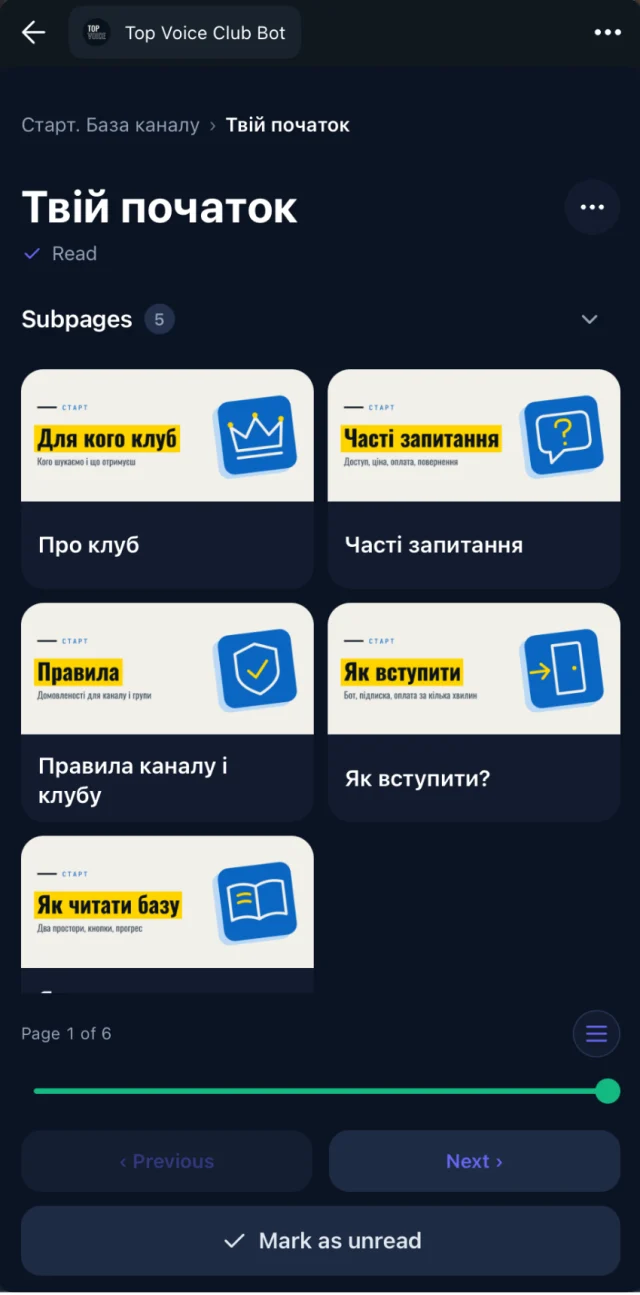
A sample space structure for a mastermind
| Space | What goes in it | Who sees it |
|---|---|---|
| Start here | Rules, confidentiality, schedule, hot seat prep | All members |
| Sessions | One page per call: recording, summary, commitments | Members of that group |
| Hot seats by topic | Links to past hot seats grouped by theme | Members of that group |
| Resources | Templates, books and tools members recommend | All members |
| Guests | Speaker pages for invited experts | All members |
| Host | Member notes, session planning | Host and co-facilitators |
Start on the Free plan with no time limit. Private access for your group starts on Basic from $29/month. For how to structure the sessions themselves, read how to run a mastermind group.