
 Download App
Why a community wiki needs its own template
A team wiki is organised by department. A help center is organised by product feature. A community is organised around what a member needs at each stage: joining, learning the rules, catching up on recordings, using shared resources, meeting people.
A generic Notion wiki template doesn't know that. This one does. It's 6 spaces, in the order a new member needs them.
Start here
What a new member reads on day 1.
Rules and FAQ
The questions the admin answers every week.
Recordings
Every call and guest session, summarised.
Resources and templates
The files members actually reuse.
Events and speakers
What's coming up and who spoke before.
Member directory
Who is here and what they can help with.
The knowledge base template: 6 spaces with example pages
Copy each block and rename the pages to fit your community. Delete what you don't need; it's easier to remove a page than to invent the structure later.
Start here
  - Welcome: who this community is for
  - How the week works (calls, threads, rituals)
  - Your first 7 days: a checklist
  - Watch these 3 sessions first
  - How to use this knowledge base (search, spaces)
  - Who to contact
Rules and FAQ
  - House rules
  - Confidentiality and recordings policy
  - Billing, renewals and refunds
  - How to change your plan or leave
  - Frequently asked questions
  - How to suggest a topic or a guest
Recordings
  - 2026
      - [Date] Guest session: [topic] with [speaker]
      - [Date] Member case review: [topic]
      - [Date] Office hours: [main question]
  - Best of: 10 sessions every member should watch
  - By topic
      - Pricing and sales
      - Clients and contracts
- Tools and workflowResources and templates - Contract and proposal templates - Checklists (onboarding a client, launching a project) - Recommended tools and discounts - Reading list - Decks from past sessions
Events and speakers
  - Upcoming events calendar
  - Speaker pages
      - [Speaker name]: bio, sessions, links
  - How to propose a talk
- Past events archiveMember directory - How to add your profile - Members by expertise - Members by city or time zone - Mentors and how to book them - Introductions: who wants to meet whom
The access map: who sees what
Most communities have at least 3 audiences: people who are curious, people who pay, and people who help run it. The access map decides which spaces each group can open.
| Space | Free members | Paid members | Mentors and team |
|---|---|---|---|
| Start here | Yes | Yes | Yes |
| Rules and FAQ | Yes | Yes | Yes |
| Recordings | "Best of" sample only | Full archive | Full archive |
| Resources and templates | Reading list only | Everything | Everything, plus drafts |
| Events and speakers | Public events | All events and speaker pages | All, plus speaker planning |
| Member directory | No | Yes | Yes, plus mentor notes |
Access groups
  free     = everyone in the open channel or free group
  paid     = members of the private paid group
  mentors  = mentors, hosts and the admin team

Space                      free   paid   mentors
Start here                 yes    yes    yes
Rules and FAQ              yes    yes    yes
Recordings                 part   yes    yes
Resources and templates    part   yes    yes
Events and speakers        part   yes    yes
Member directory           no     yes    yes
How to fill the template in a week
Day 1: Start here and Rules
Write these two first. They answer most of the questions you get in the chat.
Day 2 and 3: Recordings
Add your 10 best past sessions with a 3-line summary each. Don't try to backfill everything.
Day 4: Resources
Collect the files you have sent to members more than twice.
Day 5: Events and directory
Add the next 4 weeks of events and ask 5 active members to fill in their profiles as examples.
Day 6 and 7: Share it
Post the link in the chat, pin it, and answer the next repeat question with a link to the page.
Build this structure in Embedify
You can copy this knowledge base template into any wiki tool. If your community runs in Telegram, Embedify is built for it: the library opens inside Telegram as a Mini App, and access follows membership of your Telegram group.
- Spaces and access groups map one to one to the template and the access map above.
- Recordings from YouTube or Vimeo get a transcript and an AI summary on the page.
- Google Docs you already have can be imported and kept in sync.
- Speaker pages with session dates and an events calendar cover space 5.
- Search runs across pages, decks and video transcripts.
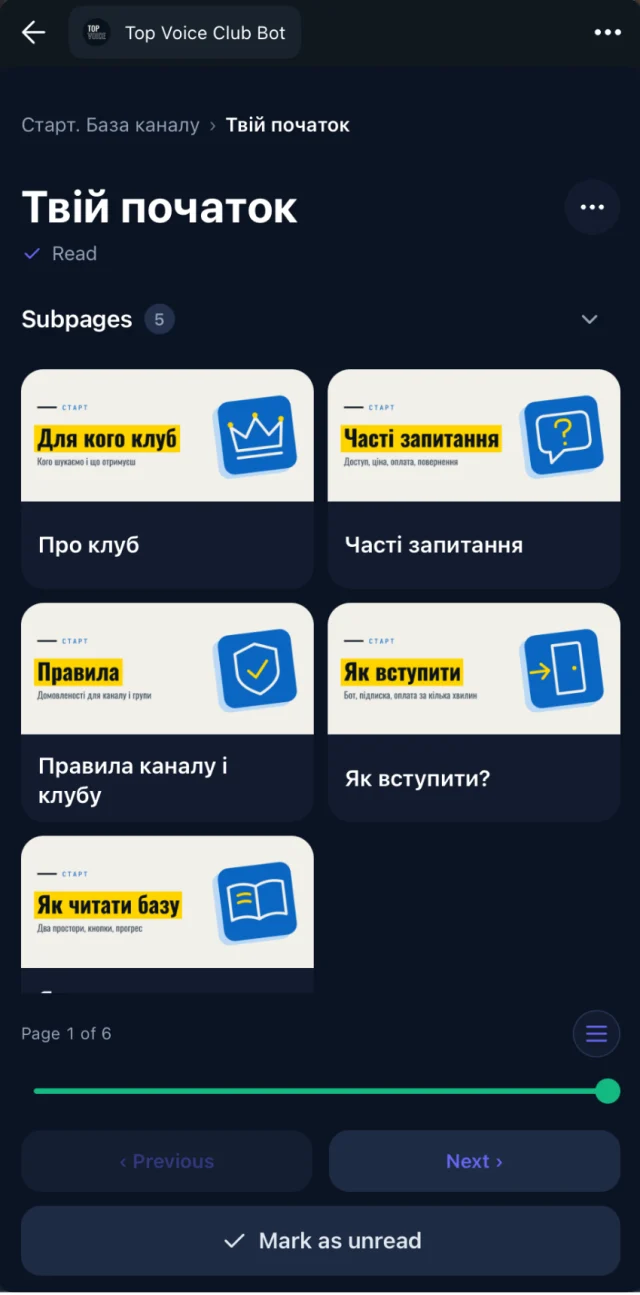
Sign up for free, create the 6 spaces and paste the page titles from this template. The Free plan has no time limit. Private access and your own bot start on Basic from $29/month; see pricing for Pro and Scale. More on how access works: spaces and access groups.